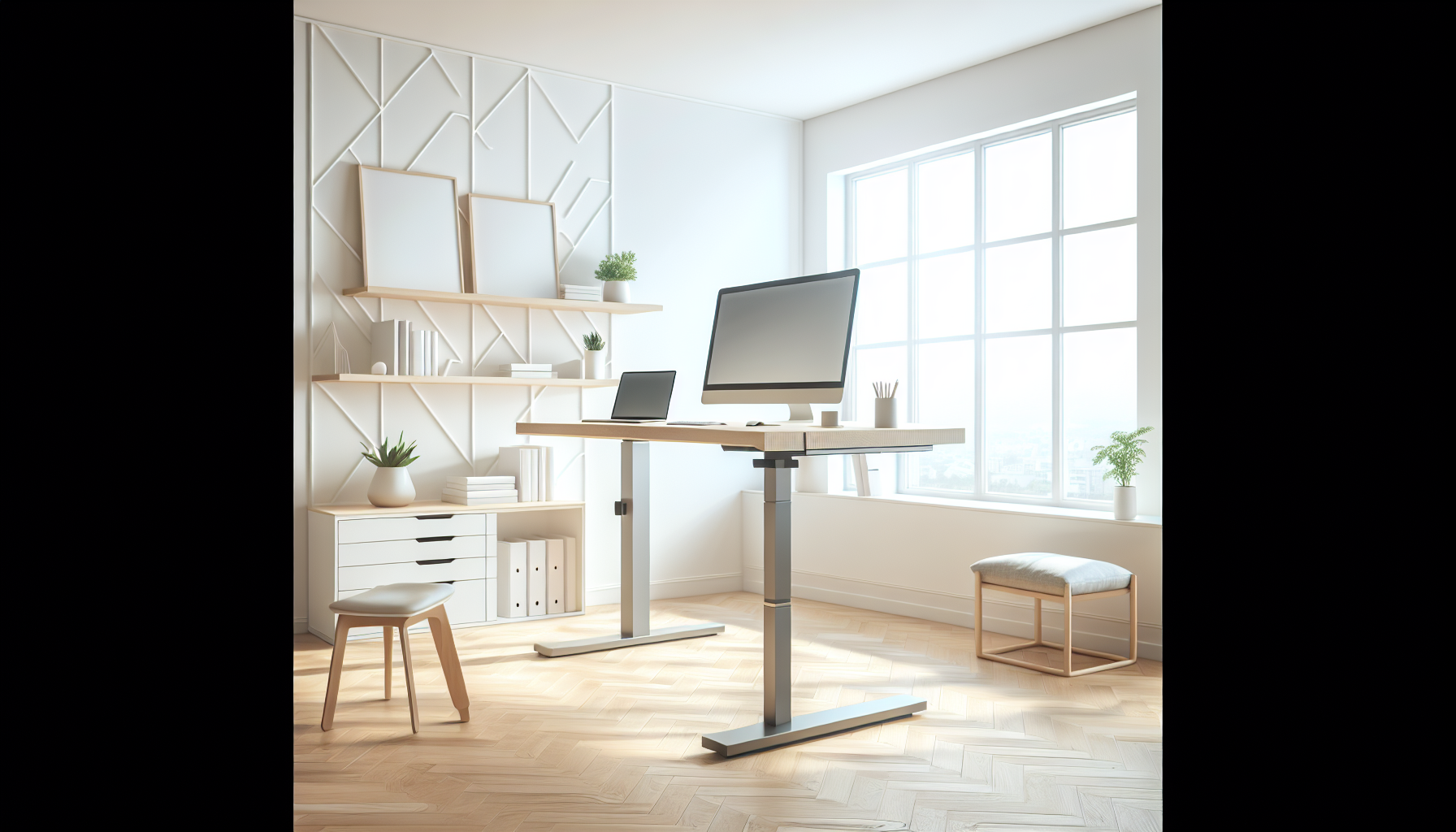
Most people shopping for a standing desk start in the same place: staring at $600–$1,200 price tags and wondering if they’re being played. You want to stand while you work, not finance a piece of furniture.
Here’s the reality: you can get a desk that raises and lowers reliably, holds your monitors without wobble, and costs under $300 — because the functional gap between budget and premium has closed. Motors are quieter. Frames are stiffer. The desks on this list have between 5,000 and 21,000 real Amazon reviews each. They’ve been bought, assembled, and used by tens of thousands of people. That’s the signal we used to build this list.
I’ve been using a standing desk for four years and tested several. These four are the ones I’d tell a friend to buy when setting up a real home office on a real budget.
Quick answer: The ErGear 48x24 (~$105) is the best value standing desk under $200 — 10,987 reviews, Amazon’s Overall Pick badge, and a price that leaves room in your budget for a decent chair. For a larger surface, the SHW 55x28 at $190 is the only budget option with a proper dual-monitor footprint.
What Actually Matters in a Budget Standing Desk
Skip the marketing specs. Here’s what to evaluate.
Stability at standing height is the real differentiator. Budget desks wobble. The question is how much, at what height, and whether it affects actual use. A desk that’s solid at 36” but oscillates at 46” is useless for anyone over 5’8” who wants to type while standing.
Motor quality affects lifting speed and longevity. Single-motor budget desks typically lift at 25mm/s. Noise matters if you share a space — under 55dB is acceptable for most setups.
Weight capacity is routinely overstated. A “220 lb capacity” desk may technically handle that load but wobble noticeably over 40 lbs in practice. Real stable capacity is usually 60–70% of the listed max.
Review count matters more than rating. A 4.6★ desk with 200 reviews is a guess. A 4.4★ desk with 5,000 reviews is a verdict. Every desk on this list has cleared 5,000 reviews.
Warranty — motor warranty specifically. Two years minimum. Five years is the quality benchmark.
Quick Comparison
| Desk | Price | Surface | Reviews | Rating |
|---|---|---|---|---|
| ErGear 48x24 | ~$105 | 48×24” | 10,987 | 4.5★ |
| SHW 55x28 | ~$190 | 55×28” | 21,800+ | 4.5★ |
| FEZIBO 48x24 | ~$105 | 48×24” | 6,707 | 4.6★ |
| Claiks 48x24 | ~$100 | 48×24” | 5,100+ | 4.4★ |
Prices are approximate. These desks go on sale frequently — check current listings before buying.
1. ErGear 48x24 Electric Standing Desk — Best Overall Under $200
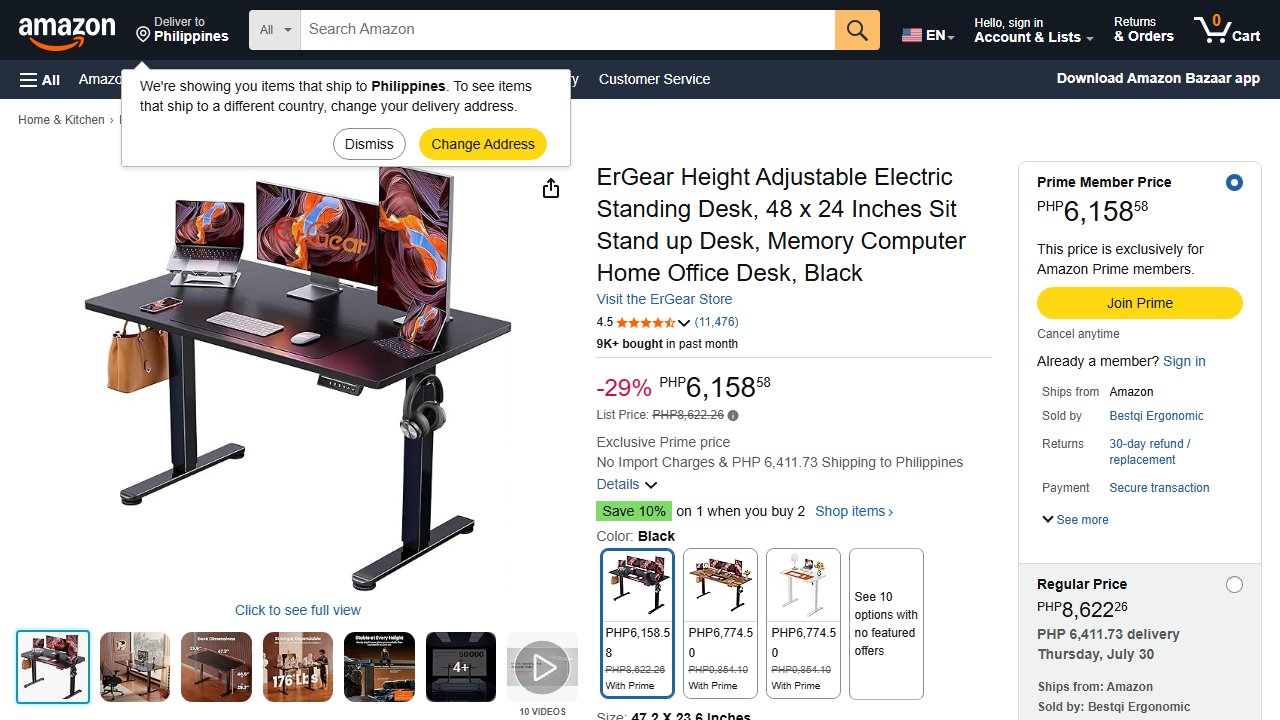
The ErGear 48x24 is the best value standing desk under $200. Amazon’s Overall Pick badge, 10,987 reviews, and a price around $105 makes this the desk most people in this category should buy. It handles the fundamentals — stable lift, quiet motor, programmable presets — without charging you for features you won’t use.
Stability: Solid at moderate standing heights (40–44”). Noticeable wobble at full extension (45”+), which is typical for single-motor budget desks. For most users in the 5’6”–5’10” range, working height sits around 42–44” — within the stable range.
Motor: Single motor, 25mm/s lifting speed, under 50dB. Quiet enough for shared office use.
Height range: Approximately 28”–45.5”. Works for users up to about 6’. Taller users may want the SHW for its slightly extended range.
Presets: 4 programmable memory presets — set your sitting height and standing height once, hit a button to switch.
Warranty: 2 years on motor and frame.
The ErGear is the right desk if you want the most battle-tested budget option at the lowest price. Nearly 11,000 reviews means you’re buying something people actually keep, not something they tolerate.
One limit: 48” wide is standard — not generous. If you run dual monitors plus accessories, check the SHW’s 55” surface instead.
2. SHW 55x28 Electric Standing Desk — Best Large Surface
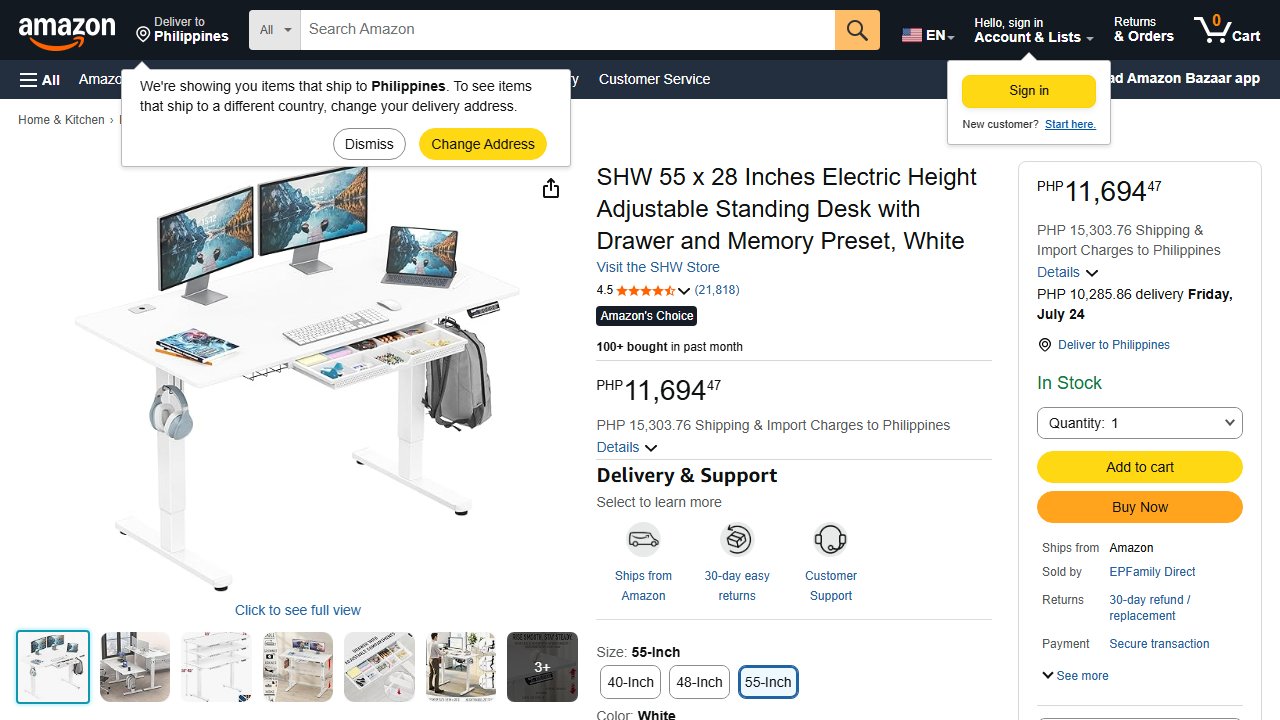
The SHW 55x28 is the best standing desk under $200 if you need real desk space. At 55×28 inches, it’s 7 inches wider and 4 inches deeper than a standard 48×24 desk — enough room for two monitors, a laptop stand, and peripherals without feeling cramped. With 21,800+ reviews it’s one of the most-reviewed standing desks at any price point on Amazon.
Stability: Good for its size. The wider frame adds some natural flex at full height, but SHW’s build quality keeps it manageable. At 40–44” it’s solid. Expect light movement at 47”+.
Motor: Single motor. Smooth operation, under 55dB.
Height range: ~28”–45.5”. Same ceiling as the ErGear, but the wider surface means you won’t be reaching awkwardly across a cramped desk while standing.
Assembly: More involved than the 48” desks due to size — allow 45–60 minutes.
Warranty: 1 year. The main tradeoff for the larger surface at this price.
The SHW is the right desk for anyone who’s tried to work on a 48” surface and kept bumping into the edges. Dual-monitor setups especially benefit from the extra 7 inches of width.
One limit: The 1-year warranty is shorter than the competition. If warranty coverage matters to you, the ErGear’s 2-year coverage is safer for a comparable price.
3. FEZIBO 48x24 Electric Standing Desk — Best Aesthetics

The FEZIBO is the best-looking standing desk under $200. Where every other budget desk defaults to plain black or white melamine, FEZIBO offers wood-grain laminate finishes — walnut, white oak, vintage brown, and others — that look intentional rather than utilitarian. If your workspace appears on video calls or you care about the desk matching your room, FEZIBO is the only budget option that won’t look out of place.
Stability: Comparable to the ErGear — solid at moderate heights, some movement at full extension. The 4.6★ rating across 6,700+ reviews suggests buyers are consistently satisfied with build quality.
Motor: Single motor, 25–28mm/s depending on load.
Height range: ~28”–47.6”. Slightly better than the ErGear and SHW — meaningful for users 6’1” and above.
Presets: 2 memory presets on most models.
Warranty: 2 years on motor and frame.
The FEZIBO is the right desk if aesthetics matter and you don’t want to pay a premium for them. At roughly the same price as the ErGear, you get the same functional performance with finish options the others don’t offer.
One limit: Finish quality can vary by colorway — the wood-grain options photograph well, but check reviews for your specific color before buying.
4. Claiks 48x24 Electric Standing Desk — Most Affordable
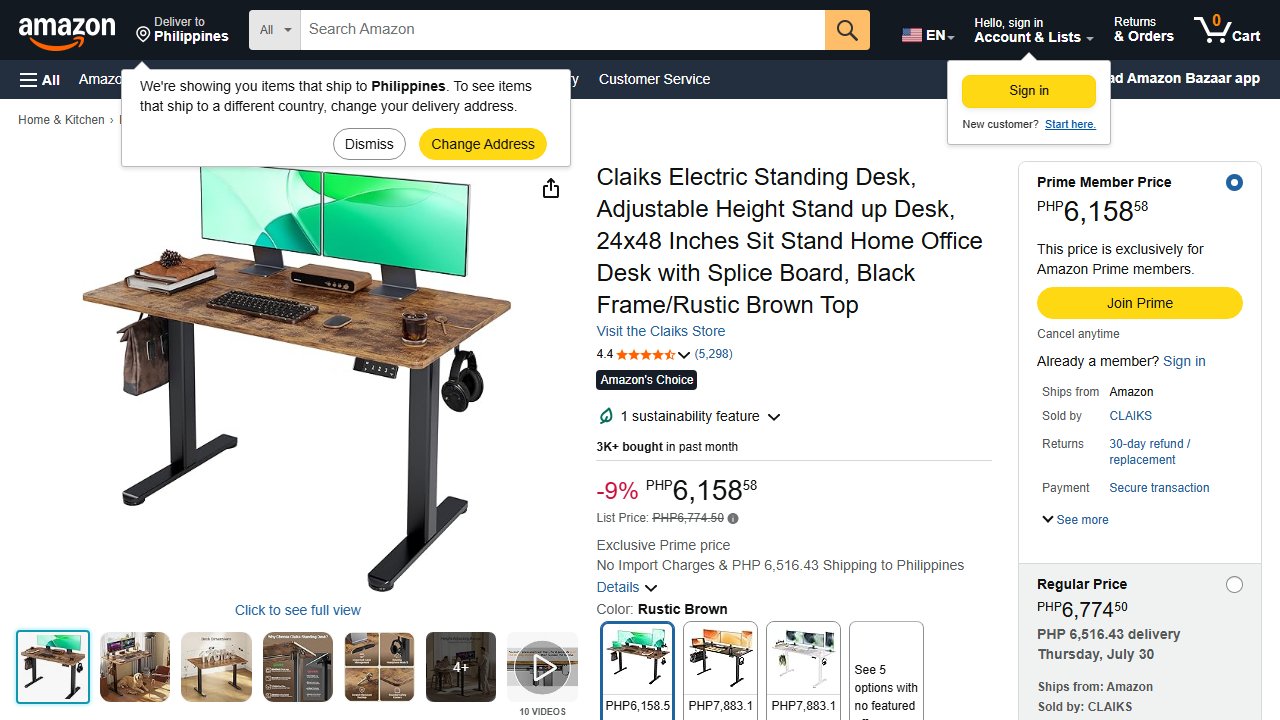
At around $100, the Claiks is the most affordable standing desk on this list that clears the 5,000-review bar. It handles the basics: motorized height adjustment, LED display, programmable presets. For a light one-monitor setup, it works.
Stability: Adequate at moderate heights. Not the most rigid frame on the list — keep loads under 30–35 lbs for best stability.
Motor: Single motor, standard lifting speed.
Height range: ~28.3”–45.7”. Standard range, covers most users.
Presets: 2 memory presets.
Warranty: Check current listing — varies by seller.
The Claiks is the right desk if you’re setting up a first standing desk on a tight budget, running a single-monitor or laptop setup, and want to try standing before committing to more. It’s not the desk to buy if you’re planning a heavy dual-monitor rig — use the ErGear for that at similar price.
One limit: Lower price means lighter construction. Weight capacity is genuinely a constraint here — don’t push it.
Standing Desk vs. Desktop Converter — Which Should You Buy?
Before buying a full standing desk, check if a desktop converter ($100–150) covers your needs.
Get a desktop converter if: You already have a desk you like, your budget is under $120, or you only want to stand for short periods a few times a day.
Get a full standing desk if: You want a full-width surface when standing, you plan to stand for 2+ hours daily, or you’re building a workspace from scratch.
Converters wobble more than full desks, have less height range, and shrink your usable surface area when raised. At $100–150 they’re a real ergonomic upgrade. But a full desk is the right call for anyone serious about a standing routine.
Our Take
I run a single-monitor setup with a laptop arm, which puts me squarely in ErGear territory. What surprised me most was how normal the transition felt — within a week the sitting-to-standing switch became automatic rather than intentional. The desk itself stopped being something I thought about.
What I’d tell someone shopping this list: don’t obsess over specs. Pick the desk that fits your surface size requirement and buy it. The performance difference between these four at similar heights is smaller than the review counts suggest — they’re all budget single-motor desks within the same range. The meaningful differences are surface size (SHW wins), aesthetics (FEZIBO wins), and price floor (Claiks wins). Everything else is noise.
If money isn’t the binding constraint, start at ErGear. If you have two monitors, start at SHW. If the desk is going on camera, look at FEZIBO. That’s the whole decision.
The Clear Winner
For most people: ErGear 48x24 (~$105). Nearly 11,000 reviews and an Amazon Overall Pick badge make it the default recommendation. It handles a standard single or dual-monitor setup without complaint.
Need more surface area: SHW 55x28 (~$190). The only under-$200 desk worth considering for a full dual-monitor workstation.
Want wood-grain finishes: FEZIBO 48x24 (~$105). Same price as ErGear, better aesthetics, slightly taller max height.
Strict budget: Claiks 48x24 (~$100). Works for light setups. Don’t overload it.
One more thing: if you work from home and ever take a laptop to a coffee shop or co-working space, a VPN is worth having — public networks are less safe than most people assume.
Prices are approximate and subject to change. Verify current pricing on Amazon before purchasing.