
You already know your writing needs to be clean. What you probably don’t think about is how much time you spend fixing it — or how much damage a missed error does when the wrong person sees it.
Every editing pass you do manually is time you’re not spending on the next piece. Every clunky sentence in a client proposal quietly dents your credibility. Every typo that gets through is invisible until it isn’t. None of these are catastrophic on their own. Together, they’re the slow drag that separates writers who look polished from those who almost do.
Grammarly exists to close that gap. After 12 months of daily use across email campaigns, articles, client proposals, and Slack messages I cared about getting right — I can tell you exactly when it’s worth paying for.
Short version: Grammarly Free is one of the best free tools available for anyone who writes professionally. Premium is worth it for a specific type of user. If you’re not that user, free handles you fine.
Here’s the full breakdown.
Quick answer: Grammarly Free is worth using for anyone who writes professionally — it’s genuinely good at zero cost. Premium ($12/mo annual) is worth it if you write daily and your writing represents your work: bloggers, freelancers, non-native English speakers, client-facing proposals. Casual email writers can stay on free.
Quick Verdict
Rating: 4.3/5
| Tier | Best For | Worth It? |
|---|---|---|
| Free | Casual writers, basic proofreading | Yes — use it |
| Premium | Bloggers, freelancers, non-native speakers | Yes, if you write daily |
| Business | Teams with brand consistency needs | Yes, for teams of 3+ |
Grammarly Free catches the errors that matter most: spelling, basic grammar, punctuation, and a useful tone indicator. It works across every platform you already use. There’s no friction to getting started, and the free version alone puts you ahead of most people.
Grammarly Premium adds the layer that matters if you publish professionally: full-sentence rewrites, clarity suggestions, vocabulary enhancement, and the plagiarism checker. For a blogger producing three articles a week, $12/month is easily justified by the time saved on editing passes alone.
If you write a handful of emails a week and nothing more, stay on free.
If your writing represents your work or earns you money, the table above already tells you which tier you belong in.
What Is Grammarly?
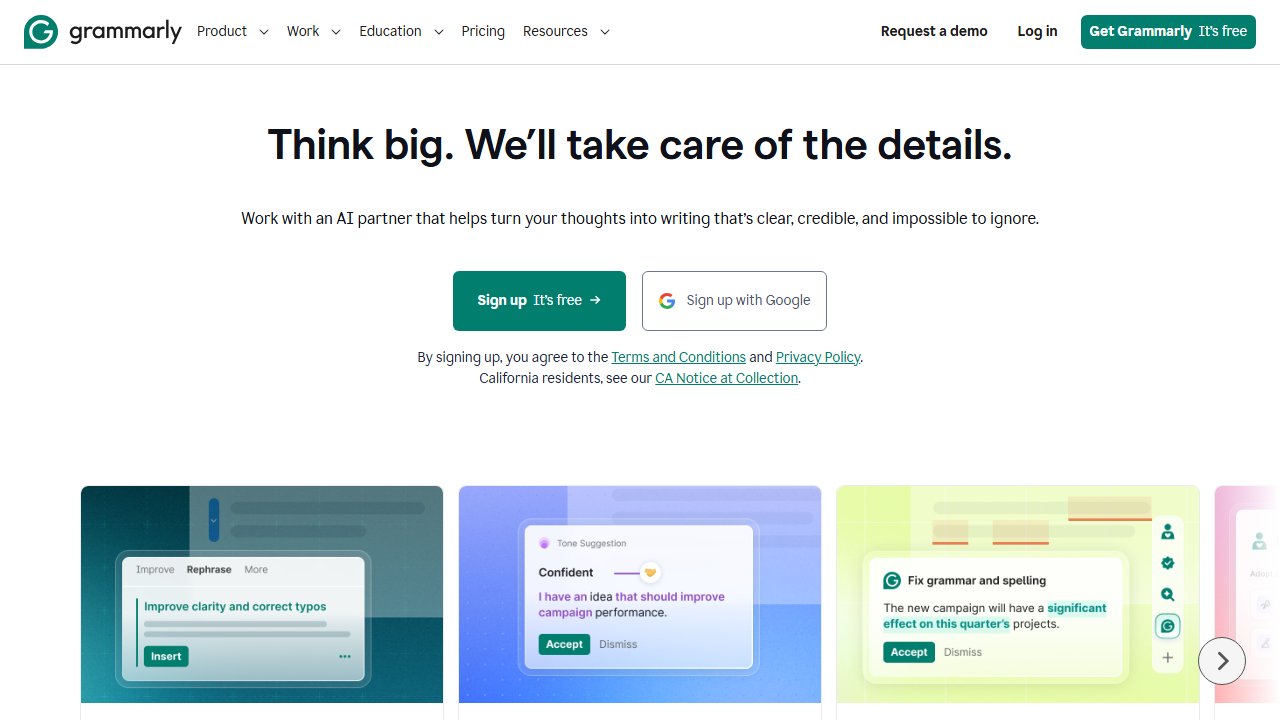
Grammarly is an AI writing assistant that checks your grammar, spelling, punctuation, style, tone, and clarity in real time. It works as a browser extension, a desktop app for Windows and Mac, a Microsoft Office plugin, and a mobile keyboard.
The key difference from your built-in spell checker: Grammarly understands context. It catches subject-verb agreement errors, comma splices, dangling modifiers, and tonal inconsistencies that basic spell check ignores entirely.
Founded in 2009, Grammarly has gone through several major AI upgrades. The current version includes Grammarly AI (formerly GrammarlyGO) — an AI generation and rewriting assistant layered on top of the core correction engine. As of 2026, Grammarly AI can generate full drafts, rewrite passages in a specified tone, and suggest structural improvements — not just sentence-level fixes.
Over 30 million people use it. It works inside Gmail, Google Docs, WordPress, LinkedIn, Twitter/X, Outlook, Slack, and most text fields you encounter in a browser.
Grammarly Free vs Premium vs Business: What’s the Difference?
What You Get with Grammarly Free
Grammarly Free gives you solid baseline protection — enough to stop looking careless without spending anything.
- Spelling and basic grammar corrections
- Punctuation suggestions
- Tone detection (reads as confident, formal, friendly, etc.)
- Works across all supported platforms and text fields
- Basic Grammarly AI prompts (limited usage)
Grammarly Free is the right choice for casual writers, students who write infrequently, and anyone who just needs a second set of eyes on emails. What it won’t do: style suggestions, full-sentence rewrites, vocabulary enhancements, plagiarism checking, or extended AI rewrites. Those are all Premium.
Is Grammarly Premium Worth the Price?
Yes — for daily professional writers, Grammarly Premium is worth $12/month on an annual plan. That’s the honest answer after 12 months of use.
Here’s what Premium adds:
- Clarity and conciseness suggestions — identifies wordy sentences and offers tighter alternatives
- Tone adjustments — suggests rewrites to hit a specific tone (formal, persuasive, diplomatic)
- Full-sentence rewrites — not just flagging problems, but offering complete replacements
- Plagiarism checker — checks against 100 billion web pages; essential for content writers who research heavily
- Grammarly AI — full access to AI generation, outline creation, bullet expansion, and rewriting
- Word choice and vocabulary enhancement — flags overused words, suggests stronger alternatives
- Genre-specific style checks — different rule sets for academic, business, and creative writing
Grammarly Premium is worth it for non-native English writers, content marketers, and professionals who write client-facing documents daily. The clarity suggestions alone changed how I write — not just editing existing sentences, but restructuring how I think about them.
Premium costs $12/month on annual billing or $30/month on monthly billing. Pay annually. The difference ($144/year vs $360/year) is too large to ignore.
Grammarly Business: Is It Worth It for Teams?
Grammarly Business makes sense for teams of three or more who need consistent brand voice across their writing.
Business adds a team admin dashboard, shareable style guides, brand tone settings, and per-member analytics. It costs $15/member/month on annual billing. Worth it for agencies, editorial teams, or any company trying to enforce consistent writing standards — especially teams working out of a shared Notion or ClickUp workspace.
Pricing
| Plan | Monthly Billing | Annual Billing |
|---|---|---|
| Free | $0 | $0 |
| Premium | $30/month | $12/month |
| Business | $25/member/month | $15/member/month |
The annual discount on Premium is significant: $144/year versus $360/year paid monthly. If you’re committing, pay annually.
For comparison: ProWritingAid costs around $10/month (annual). Hemingway Editor is free on web, or a $19.99 one-time purchase for desktop.
At $12/month, Grammarly Premium is lunch-money territory for anyone earning from their writing. One saved editing hour per month more than covers it.
Pricing verified May 2026. Always confirm current pricing on Grammarly’s site before purchasing.
What I Liked After 12 Months
Accuracy on the errors that matter. Grammarly catches what spell check misses: subject-verb agreement across long sentences, comma splices, dangling modifiers, word confusion (“affect” vs “effect”) handled correctly in context.
Tone detection. When I write cold outreach emails, the tone indicator tells me whether the message reads as confident, friendly, or passive. I’ve rewritten intros based on tone feedback alone before hitting send — and reply rates improved.
Cross-platform consistency. It works inside Google Docs, Gmail, WordPress, and LinkedIn without switching tools. That’s the real value. It runs where you already are.
Grammarly AI for getting unstuck. Most useful for rephrasing awkward sentences and expanding rough bullet points when outlining. It’s not a creative partner, but it’s a fast unblocking tool.
What I Did Not Like
Over-aggressive on intentional style choices. Grammarly occasionally flags sentence fragments used deliberately for rhythm, or informal contractions where informal is exactly the right tone. You learn to dismiss these quickly, but they add noise.
False positives in technical writing. If you write about software, finance, or medicine, you’ll see suggestions that are just wrong. Grammarly doesn’t know your terminology.
Privacy tradeoff. Your text is processed on Grammarly’s servers. For anything involving client confidentiality or legally sensitive material, factor this in. Business plan offers stricter data controls.
Grammarly AI output is generic. Good for starting points. Not a replacement for a writer with a point of view.
Who Should Get Grammarly Premium
Professional bloggers and content writers. Publishing multiple pieces a week and still doing full manual editing passes? Premium recovers that time.
Non-native English speakers. The style and tone suggestions close the gap between grammatically correct and naturally fluent. If that gap costs you credibility with English-speaking clients, Premium is the most direct fix.
Freelancers sending client-facing proposals and reports. A polished submission signals competence before the client reads a single line. Use Premium as a final pass before anything leaves your desk.
Students writing papers regularly. The plagiarism checker alone can justify the subscription during heavy writing periods.
Who Should Stay on Free
Casual email writers. A handful of emails a week with no professional stakes? Free is more than enough.
Technical writers with heavy specialized terminology. The false positive rate in technical domains makes Premium friction, not help.
Writers with a professional editor. If someone competent reviews your work before it goes out, Premium is redundant for style and clarity.
Grammarly vs Alternatives
Grammarly vs ProWritingAid
ProWritingAid is cheaper ($10/month annual) and provides deeper analytical reports: readability scores, overused words, sentence length distribution, pacing analysis. Better for novelists and long-form writers who want structural feedback.
Grammarly is faster, has broader cross-platform integration, and handles real-time inline editing more cleanly.
Verdict: Grammarly for daily professional writing. ProWritingAid if you write long-form fiction or want detailed analytical reports.
Grammarly vs ChatGPT or Claude for Editing
AI chatbots can rewrite your prose with more creativity and context than Grammarly. But they require a copy-paste workflow that breaks your flow.
Grammarly works inline, everywhere, passively. It catches errors as you type.
Verdict: Use both. Grammarly for inline real-time correction. AI chatbots for major structural rewrites.
Grammarly vs Hemingway Editor
Hemingway is free and focuses on readability: sentence length, passive voice frequency, adverb count. It doesn’t check grammar. It doesn’t work cross-platform.
Verdict: Use both together. Hemingway for a readability pass on finished drafts. Grammarly for grammar and correctness throughout.
Our Take
I’ve used Grammarly Premium for over a year across every piece I publish on this site — articles, outreach emails, affiliate copy. Here’s the honest version: I don’t think about it. It’s just on. That’s the best thing I can say about a tool.
The clarity suggestions are the feature I’d miss most if it disappeared. Not because my writing is bad, but because I write fast and Grammarly catches the sentences I let through when I’m in flow. Overly long. Passive where they shouldn’t be. Tone-deaf for the audience.
Would I pay for it as a solo founder? Already am. At $12/month annual, I don’t track whether it “pays for itself” — writing is the business, so anything that tightens the output is non-negotiable overhead.
If you publish content professionally, get Premium. If you’re writing a few internal emails per week, stay free. That’s the whole decision.
Final Rating
| Category | Score |
|---|---|
| Accuracy | 4.5/5 |
| Ease of Use | 5/5 |
| Value for Money | 4/5 |
| Features (Premium) | 4.5/5 |
| Privacy | 3.5/5 |
| Overall | 4.3/5 |
Most writing tools make you choose between depth and speed. Grammarly doesn’t. The free version catches what makes you look careless. Premium catches what makes you look average. If you produce content professionally, that gap between tiers is exactly the gap between writing that’s acceptable and writing that builds a reputation.